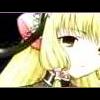
Eclectic Posted October 5, 2003 Posted October 5, 2003 Here are some more of my banners. Enjoy and use of as long as it's not personalized in anyway. The first one's kinda crappy since I don't have a program where I can blur or blend one image into another, or at least, I'm not aware of it yet. Comments are much appreciated.
Eclectic Posted October 5, 2003 Author Posted October 5, 2003 I tried using the wind tool in MGI Photo Suite but it still looks pretty much the same... Anyways, here an Edea banner, along with the editted geisha. Enjoy.
Baron Samedi Posted October 5, 2003 Posted October 5, 2003 The unedited Geisha banner was good, but the edited one looks better, aside from where one image is blurred onto the other, on the last one, and it goes onto her face. It is OK, 8/10. I dislike your second banner, it is too pixelated for me, and I just don't like the actual picture. 6/10
Krademon Posted October 5, 2003 Posted October 5, 2003 The split\non blurring is actually rather good, I like the effect it presents. Kinda like "Here are the characters". 7.2\10
Ares Posted October 5, 2003 Posted October 5, 2003 I like the geisha banner. Where'd you get the pictures for it. It has a neat effect the edited one does. Good job. Keep making banners, you are pretty good at it.
Eclectic Posted October 5, 2003 Author Posted October 5, 2003 Thanks for all the feedback. I'll keep playing with my banners in what little free time I have. And here's yet another banner for your enjoyment.
Ninja_Freak Posted October 5, 2003 Posted October 5, 2003 woah freaky... whatever she is it's good. 9.4/10
Tix Posted October 5, 2003 Posted October 5, 2003 I love very much the second geisha banner (the edited one), the effect is great and the demon banner is great too but add some effects to it...
Eclectic Posted October 5, 2003 Author Posted October 5, 2003 Well, I'm pretty much out of banners for the moment and I haven't had much by the way of inspiration, so here's an avi. Enjoy.
Ninja_Freak Posted October 6, 2003 Posted October 6, 2003 woah cool. it's all demonic and stuff!!! awesome!!! 10/10. P.s. great border!
Eclectic Posted October 7, 2003 Author Posted October 7, 2003 Yet another banner for your enjoyment. This one I made for Ares but didn't have the time to post. Well, if you're reading this, here ya go. Enjoy your new banner. It's blue...
CharmedImmortal Posted October 7, 2003 Posted October 7, 2003 Awww...that's a cute banner, and a cute guy too. ^_^ I wish I could make one...but I have no idea how to make a banner. I don't even have a program to make one. Can ya make me a banner? ^_^; If you have time.
Eclectic Posted October 7, 2003 Author Posted October 7, 2003 You can pick any of the banners I've posted that aren't personalized in some way and I'll put your name and anything else you want on it. ^_^ As for making banners, if you have even MS Paint, you can make anything that I've posted so far. Yup, all I've been using, with the expection of the geisha edit, have been done completely in Paint with the line tool to make borders. Oh, and here's another banner. Yohji from Weiss Kreuz...*sigh*
CharmedImmortal Posted October 7, 2003 Posted October 7, 2003 Well, actually, I have Adobe Photoshop 7. I rarely use it when I do my projects for Art Class and school activity stuffs. All I can do is draw and scan them and post it, email it, whatever i can do about it. Anyways, the new banner is totally awesome, but u should've showed the whole face so we could see how gorgeously handsome the guy is. HEHE! ^_^; Done nicely and great job!
Eclectic Posted October 7, 2003 Author Posted October 7, 2003 Unfortunately, the whole face wouldn't fit...*sigh* And I think it's over the size limit anyway. I'll have to get back later with more banners. I'm supposed to be finishing my homework at the moment.
Ninja_Freak Posted October 7, 2003 Posted October 7, 2003 It doesnt matter. the close up gives the picture more feeling and emotion. It makes it more exciting!!! 10.3/10
Zidane Posted October 10, 2003 Posted October 10, 2003 Dude thier just other people pictures put into squares. and u'v done the same ting with all of them. Try and make different ones without using the square affect. Zidane
Eclectic Posted October 11, 2003 Author Posted October 11, 2003 I can't really do much else with them, unless you'd like to buy my PSP 8. Anyways, here's another banner from a piece of gift art for my sweet sixteen. Enjoy.
Guest Magdalena Posted October 14, 2003 Posted October 14, 2003 Whatever font you are using for the text.. please stop using it. Also, please look at the comments I left with your other thread. They could be useful. Kinda.
Recommended Posts
Create an account or sign in to comment
You need to be a member in order to leave a comment
Create an account
Sign up for a new account in our community. It's easy!
Register a new accountSign in
Already have an account? Sign in here.
Sign In Now